
PRGRM GUIDE / 3 min read
Save and reopen
Understand device drafts, save your program and delivery design to your account, and reopen your work.
Understand device saving
You can build without signing in. Watch the status at the top of the workspace: Saving on this device… means a local save is in progress, and Saved on this device means the browser draft has been saved.
Build keeps one recoverable draft in this browser profile. Return using the same browser and device to continue it. Creating a different program may ask you to replace the draft.
Save to your account
- Select Save to account in the builder header.
- Choose Continue with Google, or use your email and password. If you already have an account, select Log in instead.
- Complete sign-in and allow the program save to finish. Keep the window open while it says it is saving your program to PRGRM.
- Check the resulting account save status before leaving the page.
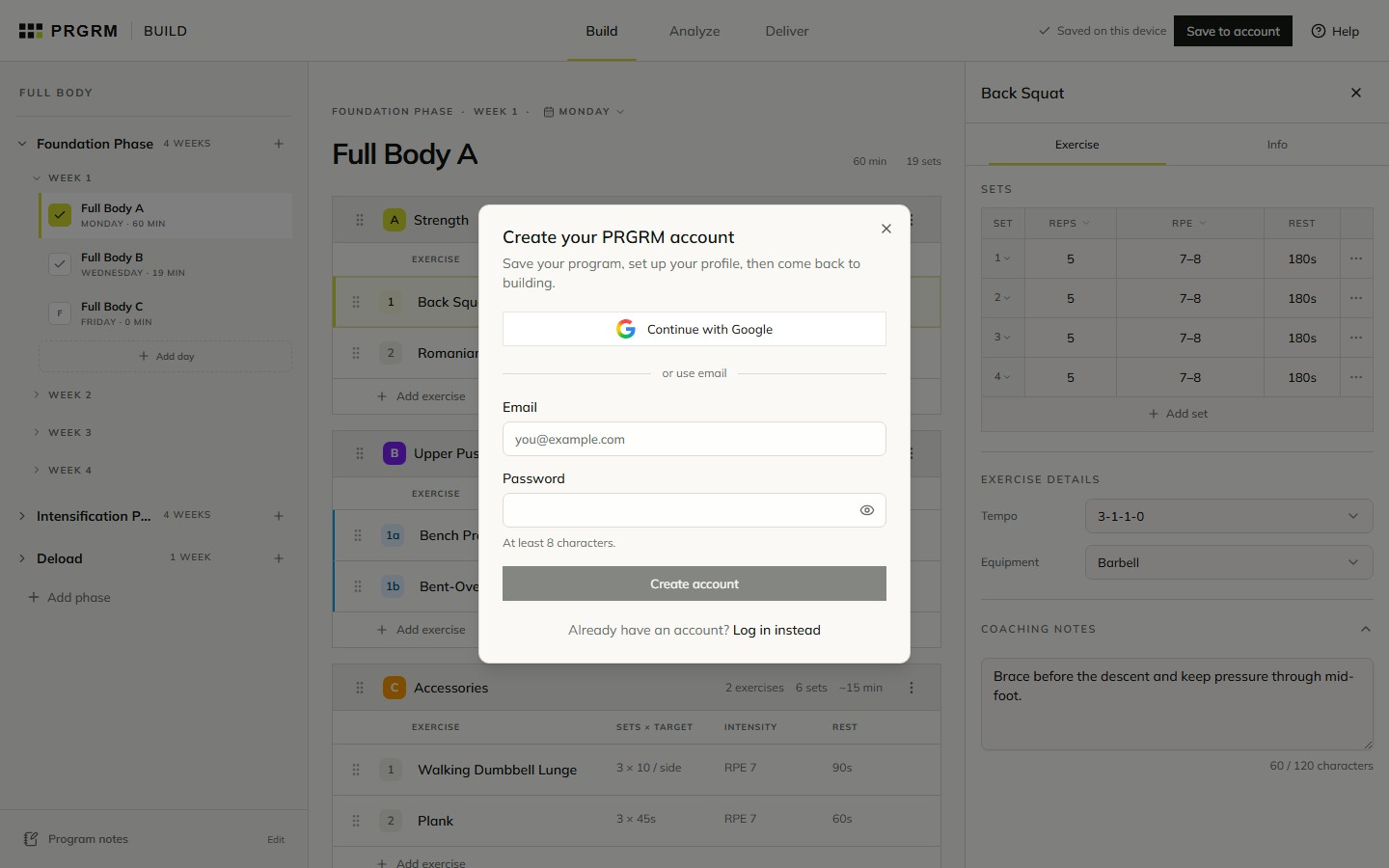
The email form includes a show-password control. Account creation asks for at least eight characters. If Google sign-in cannot start, retry from the dialog or use email.
Deliver has its own design save status. For an account-backed program, the delivery design and its assets save to your account too. Before switching devices or publishing, check both your program save and the status in Deliver → Review. A preview being ready does not by itself confirm an account save.
Reopen and recover
After saving to your account, open My Programs and select the saved program. For a device-only draft, return to Build in the same browser, or choose Continue draft on New Program.
If the account save fails, the dialog keeps your local program available and offers Retry save. If you see a storage or conflict warning, read its recovery options before continuing.