
PRGRM GUIDE / 4 min read
Organize phases, weeks, and days
Arrange training blocks, move sessions, and use Duplicate & progress to build the next weeks.
Find your place
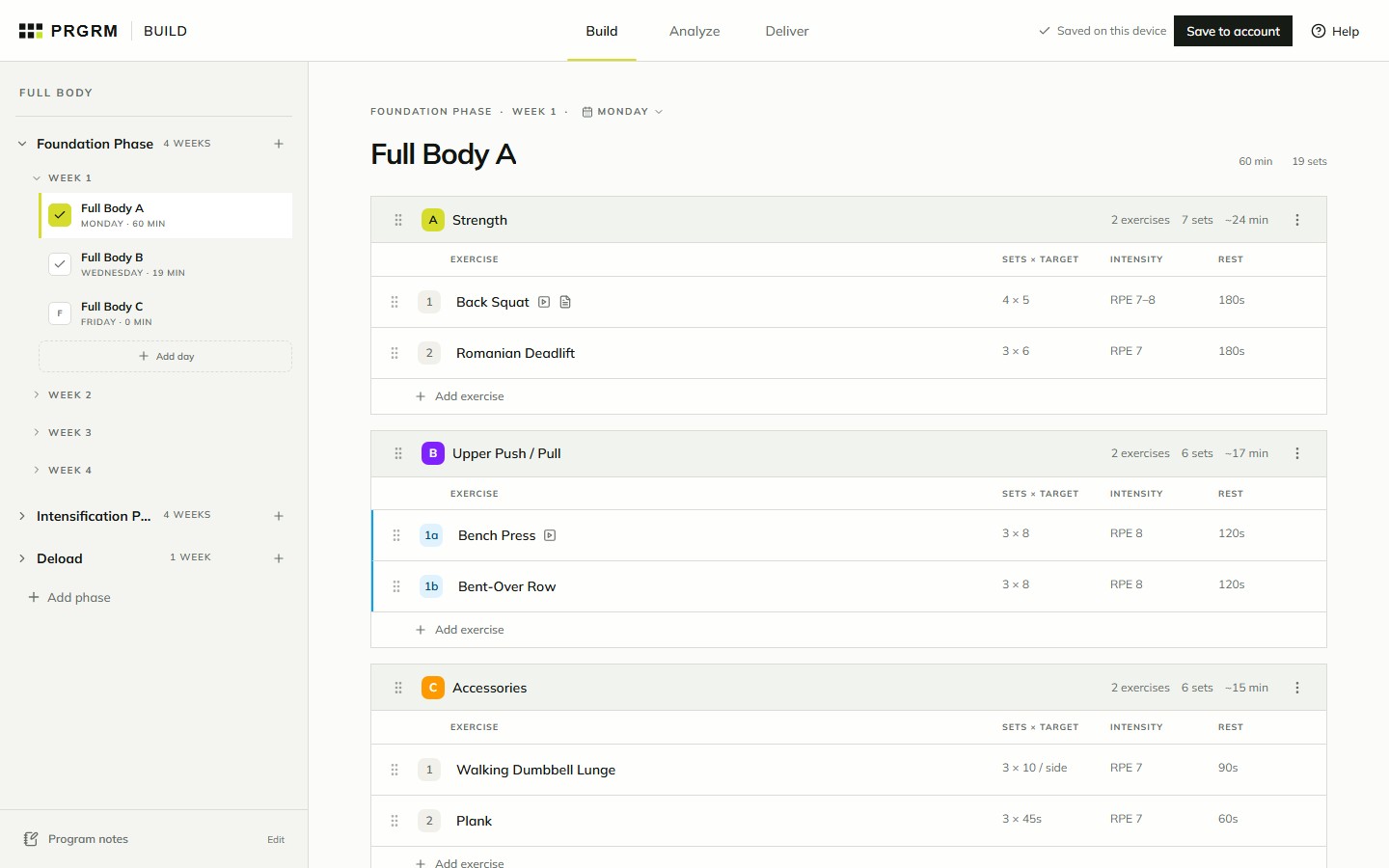
The program navigator follows the same hierarchy as your plan: program → phase → week → session. Expand a phase, expand a week, then select the session you want to edit.
On narrower screens, select the menu button at the top left to show the navigator. The session header shows the phase and week you are currently editing.
Organize a session
A session contains training blocks, and each block contains exercises. Use a block name such as “Main lifts” to make the purpose of that part of the session clear.
- Use the rename control beside a session or block title to change its name.
- Use the scheduled-day control above the session title to change its day.
- Use drag handles to reorder blocks or exercises. Keep an eye on the destination before dropping.
- Open the block’s type selector or actions menu to see the options available for that block.
Build out the schedule
Use Add phase at the bottom of the navigator, the add-week control beside a phase, or Add day inside a week to extend the structure.
The actions beside a week include duplication options. Start from a week you have already reviewed, then check the destination and any replacement confirmation before applying a copy. Review the resulting sessions and prescriptions afterward.
Use Program notes at the bottom of the navigator for guidance that applies to the whole program. Keep exercise-specific cues in the exercise’s Coaching notes field.
Duplicate and progress weeks
- Open the actions menu beside the source week and choose Duplicate & progress….
- Set Additional weeks, then choose progression rules for the exercises you want to change, such as Reps +1 / week.
- Review the week-by-week prescription preview. Adjust individual values where you need an exception.
- Check the destination weeks before applying. If they already contain sessions, read the Replace weeks confirmation before continuing.