
PRGRM GUIDE / 4 min read
Start a program
Go from a blank page to your first training session, or start with a structure template.
Choose your starting point
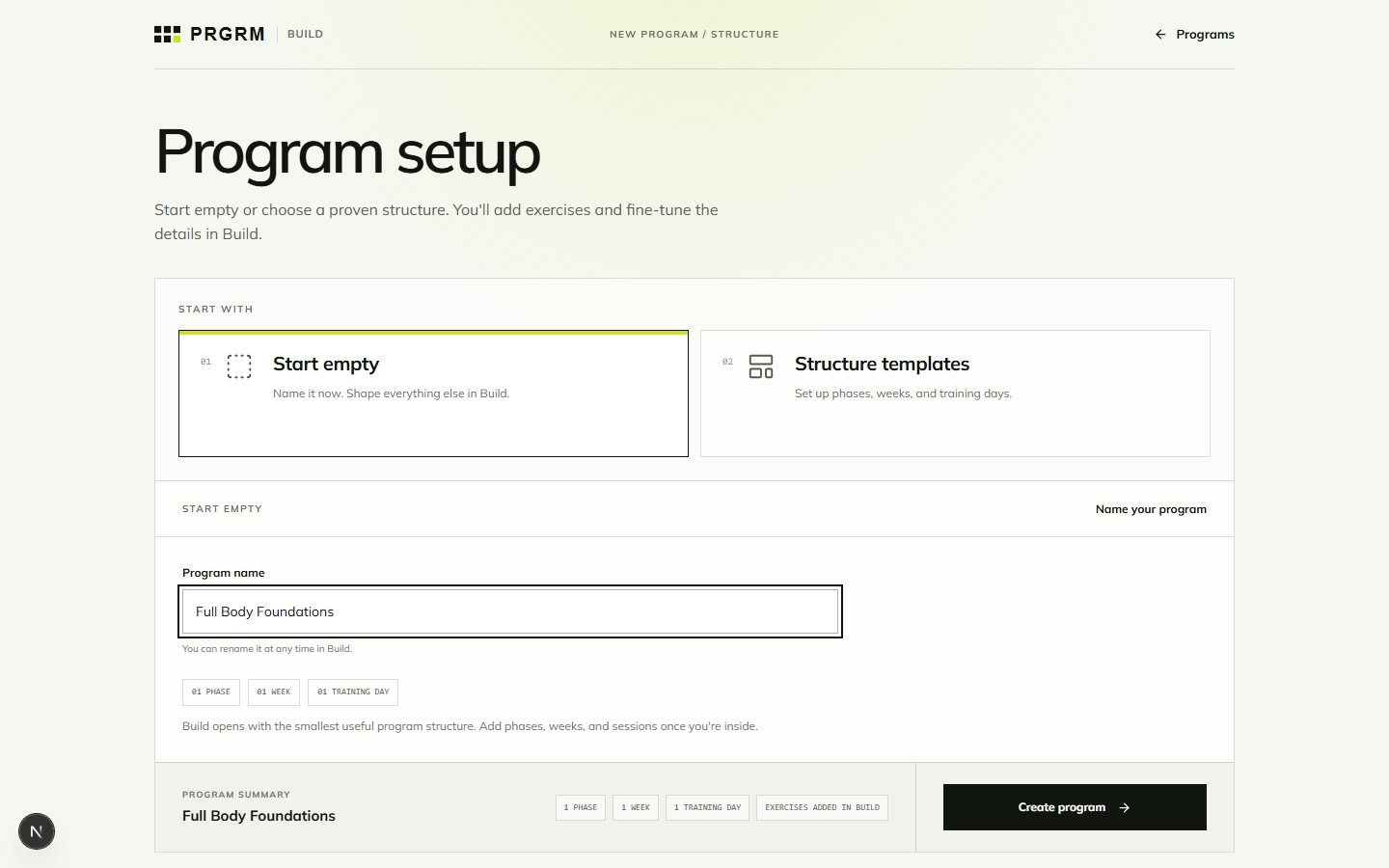
Open New Program. You can start building before creating an account. Give your program a name you will recognize later, such as “Full Body Foundations”.
- Start empty opens a minimal structure: one phase, one week, and one training day. Choose this when you want to shape the schedule inside Build.
- Structure templates gives you a starting schedule. Choose this when you already know the kind of weekly split you want.
Set up your structure
In Structure templates, choose Push / Pull / Legs, Upper / Lower, Squat Strength, or Full Body. Each card shows its duration, training days per week, and number of phases.
- Select a template and enter your program name.
- Adjust the phase lengths if needed. Review the program summary before continuing.
- Select Create structure & open Build. If you chose Start empty, select Create program.
If another draft is already saved in this browser, use Continue draft to return to it. Starting another program asks you to replace the existing draft. Cancel if you want to keep the earlier one.
Build your first session
- Select a session in the program navigator. On a smaller screen, open it using the menu button at the top left.
- Select Add training block. Rename it to something useful, such as “Main lifts”.
- Select Add exercise, search for an exercise, then choose Add. Select Done when you have finished.
- Select the exercise row to edit its sets, targets, intensity, and rest.
Continue with adding exercises and prescriptions, then check the save status at the top of Build before leaving.